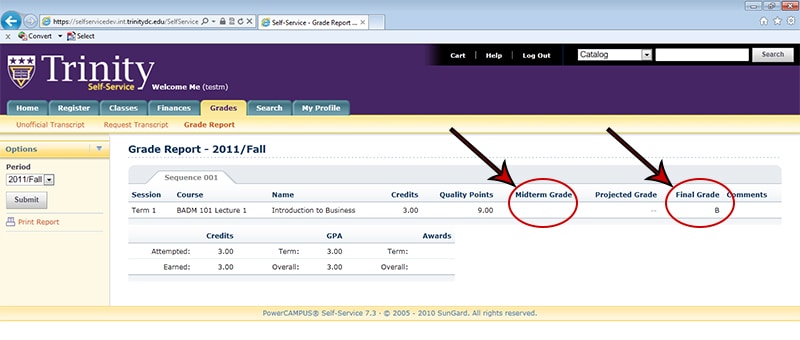
How do I view my final letter grade or midterm progress letter grade for a course?
Final grades and midterm progress grades can be found in Self-Service, not in Moodle. These grades are the letter grades submitted to Enrollment Services and the final letter grades listed on your transcript.
To view your final grade or midterm progress grade for a course, follow the steps below.
-
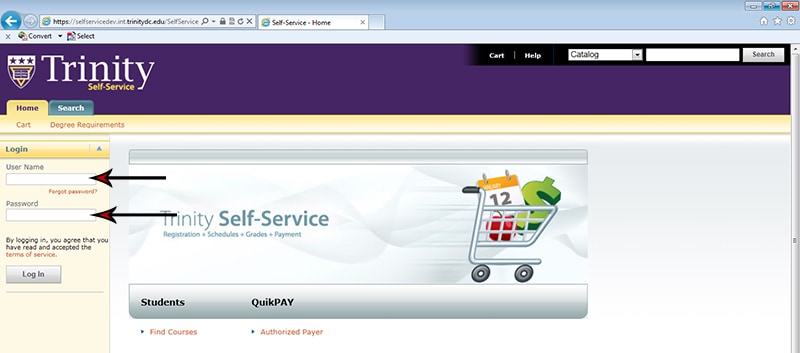
- Login to Self-Service. You can also reach Self-Service directly at http://selfservice.trinitydc.edu/.
- Once on the Self-Service main page, login using your normal Trinity account information:
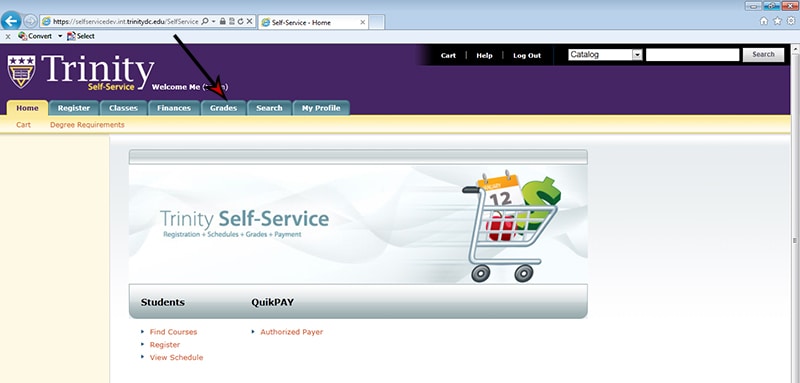
- Once you have logged in, you will see a number of tabs with different account options. Click on the “Grades” tab:
- Unofficial Transcript
- Request Transcript
- Grade Report
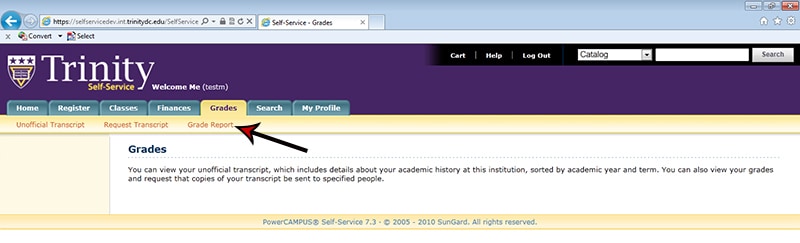
- Once in the “Grades” area, you will have three options:
- To view your grades, click on the “Grade Report” option:
- Once you are in the “Grade Report,” select the Period for which you want to view your grades:
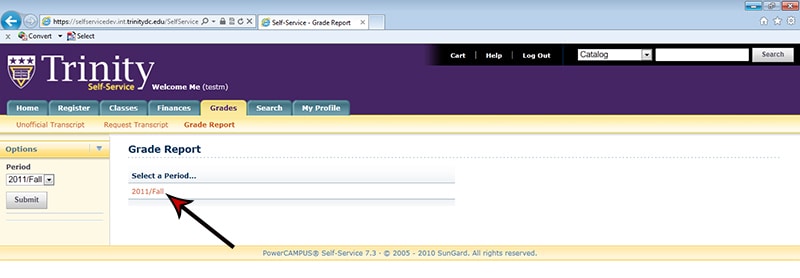
- Now you can view your final (and mid-term, if appropriate) grades, for the courses for the selected period: